
Platform Snapshot · June 2026
What we’ve been up to as your network keeps growing
Innovation inspired by your ambition.
This is just a snapshot. Behind the scenes, development never stops and every week brings refinements, improvements, and new capabilities quietly making their way into the platform.
Connectivity
CDS Connect, now simpler to set up
CDS Connect is one of the most valuable features in the platform, but we know the initial setup hasn't always been straightforward. In the CDS Connect map, you can now click on a company you want to send work to and press Request Connection to start the process automatically. The system handles the creation, or updating, of clients and partners for you, so you're up and running on Connect far faster. We've also added a Connect Setup Summary to the main configuration page, giving you a clear view of your current connections and flagging anything that needs attention.
Booking Widget
Built on your feedback, feature by feature
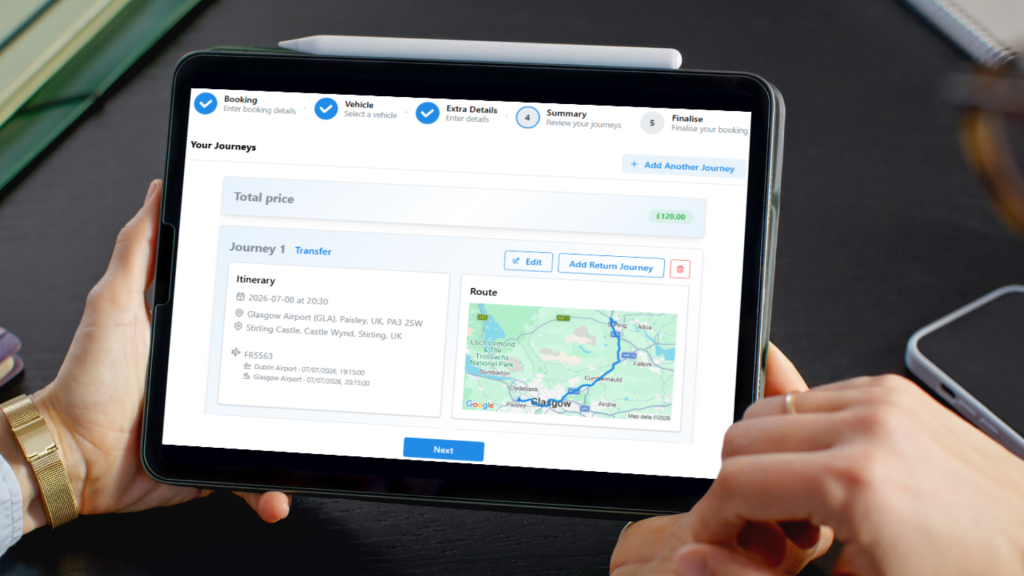
The widget continues to evolve in direct response to what you've told us. This month's additions include a country code dropdown for better-formatted client numbers, a new RESIZE URL parameter for controlling widget size and scroll behaviour on your site, and improved Google Suggestions that handle spelling mistakes more gracefully. Maximum luggage and passenger options are now calculated automatically from the vehicle you've linked, and conversion tracking has been improved across the board.
Analytics
Clearer numbers on Widget Visits
With tracking improved across the widget, the Widget Visits page now shows a much clearer picture of how visitors move toward a booking, including your overall conversion rate, your pricing page conversion rate, the number of unique visits, and more. It's a straightforward way to see exactly where your widget is winning, and where it might be losing people.
“The platform handles the process, but your people own the relationship. That combination done well is what separates the best from the rest.”
Passenger Experience
An even smoother Voyager experience
Voyager, our passenger app, keeps getting smoother. Saved locations, including global, client-specific, and passenger-specific entries, now flow straight through to the app, and booking and hire types display in the same order you've set in the Client Portal and Widget tab. Vehicle and quote options follow their correct order number, and any key dates, working times, or day-of-week restrictions set in a client's Widget tab are respected automatically. You can also now block a problematic passenger or an entire client from booking through the app; they'll simply be prompted to contact you directly, with no indication they've been blocked. And a return journey booked via the app now creates two hires under a single booking, keeping everything neatly together. If you haven't introduced the passenger app to your clients yet, there's never been a better time. Search ‘The Voyager Passenger App’ in the Knowledge Base for more.
Driver App
Faster, and more in your control
The driver app's homepage now loads considerably faster and feels noticeably lighter to use, with the Calendar screen next in line for the same treatment. We've also resolved an intermittent issue where the Job List failed to load on certain devices; anyone not yet on version 2.3.5 should update to pick up the fix. In All Functions, you can now enable Mandatory Slider Order, which requires drivers to move through job statuses in sequence with no skipping, and the same screen now shows which drivers are connected to your system, along with their app version.
System Insight
A clearer Health Check
Health Checks belong in every operator's weekly, if not daily, routine. They catch issues before they become problems, for you and for your clients. This month we've made the page itself easier to use, with clearer feedback and the ability to run specific checks against different parts of your system, so nothing gets lost in the noise.
Also new this month
- Diary: Changing the selected date now correctly resets the page number, and a new toggle lets you hide completed jobs.
- Driver Availability: The Map screen no longer shows cancelled jobs when you're assigning available drivers.
- ##CODES##: ##DUE_DATE## now works in invoice email subject lines, ##PASSENGER_NAMES## pulls all passenger names linked to an invoice, ##BOOKING_HIRES6## is officially released, and the new ##BOOKING_HIRES_UPSELL6## can show an upgrade prompt beneath each hire in a confirmation when a more expensive vehicle type is available.
- Archiving Passengers: You can now archive passengers from the Passengers screen in All Functions, keeping older records out of the way of passenger allocation while retaining the data for later.
- Bootcamps: The bootcamp button on your homepage now shows you when a live session is running.
- AI Support: Our AI support continues to improve, so it's worth trying it again if it's been a while.